
Edit a Word document without Microsoft Word
You can make everyday changes to a DOCX file in a desktop browser without installing Microsoft Word. This guide walks through opening a file, checking text and layout, and saving a separate DOCX copy.
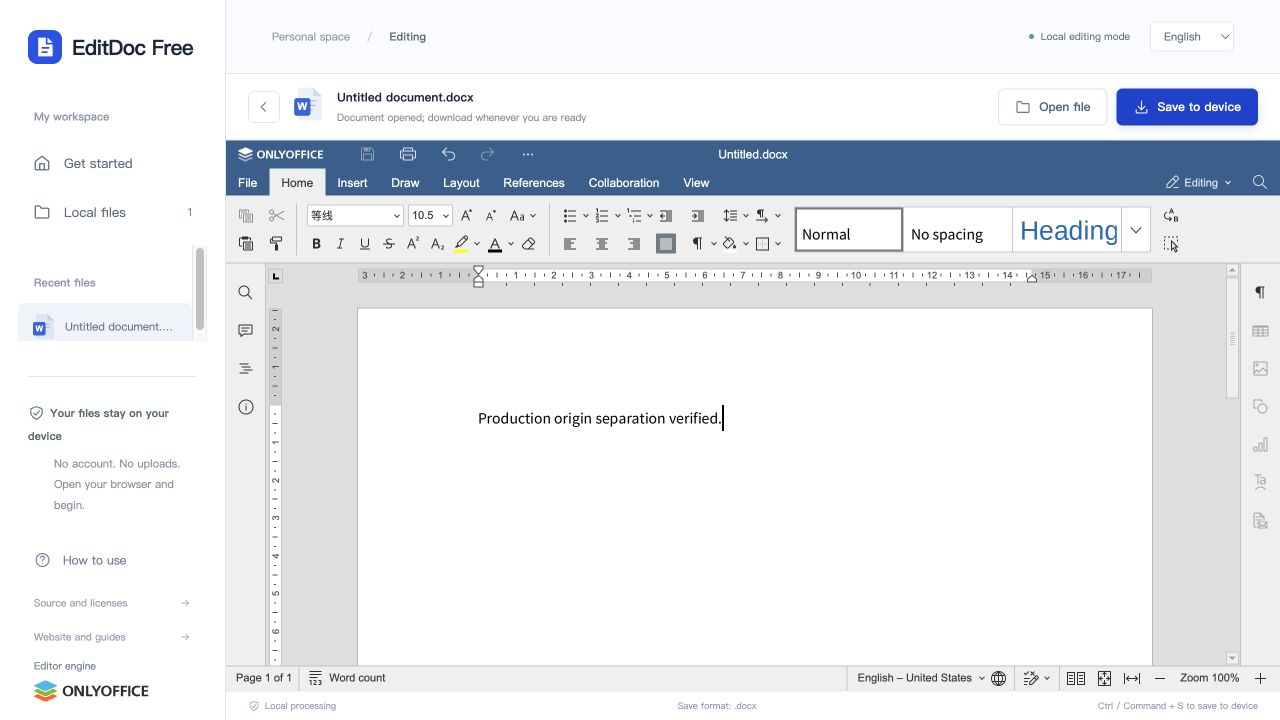
Open the document in the Word workspace
Go to the Word editor and choose your local DOCX. DOC, ODT, RTF and TXT are also accepted, with DOCX as the output. A new blank document is useful for a quick letter or note. The input limit is 100 MB, and larger or complex files need more memory and time.
Make a small edit and inspect the surrounding page
Click in the document to place the cursor. Select a short passage before changing its font or paragraph style so you can see whether the result fits the existing layout.
- Replace the text you need, then check the lines immediately before and after it.
- Use the formatting toolbar for font size, bold, alignment and paragraph spacing.
- Review tables, headings and page breaks if the edit changes the length of the text.
Try this before editing an important file
Start a blank Word document, type “Meeting notes”, then add a second line with today’s agenda. Make the heading bold and download the file. Reopen the downloaded DOCX and confirm both lines and the heading style are present. This checks the open-edit-download workflow on your browser without risking an original document.
Save a DOCX copy to your device
Choose Save to device above the document. A DOC input becomes a new DOCX; the website does not write over the original DOC. Reopen the download and compare important pages before sharing it. The local recent-files list is a convenience, not continuous autosave.
VBA macros are not executed. Font substitutions, embedded objects and advanced layout features may differ from desktop Word. This workflow does not offer PDF export; use a suitable desktop application if the final document requires a feature not preserved here.