
Online Word editor
Edit Word files online for free. Open DOCX, DOC, ODT, RTF or TXT without an account or document upload, then download an edited DOCX copy.
Open the editor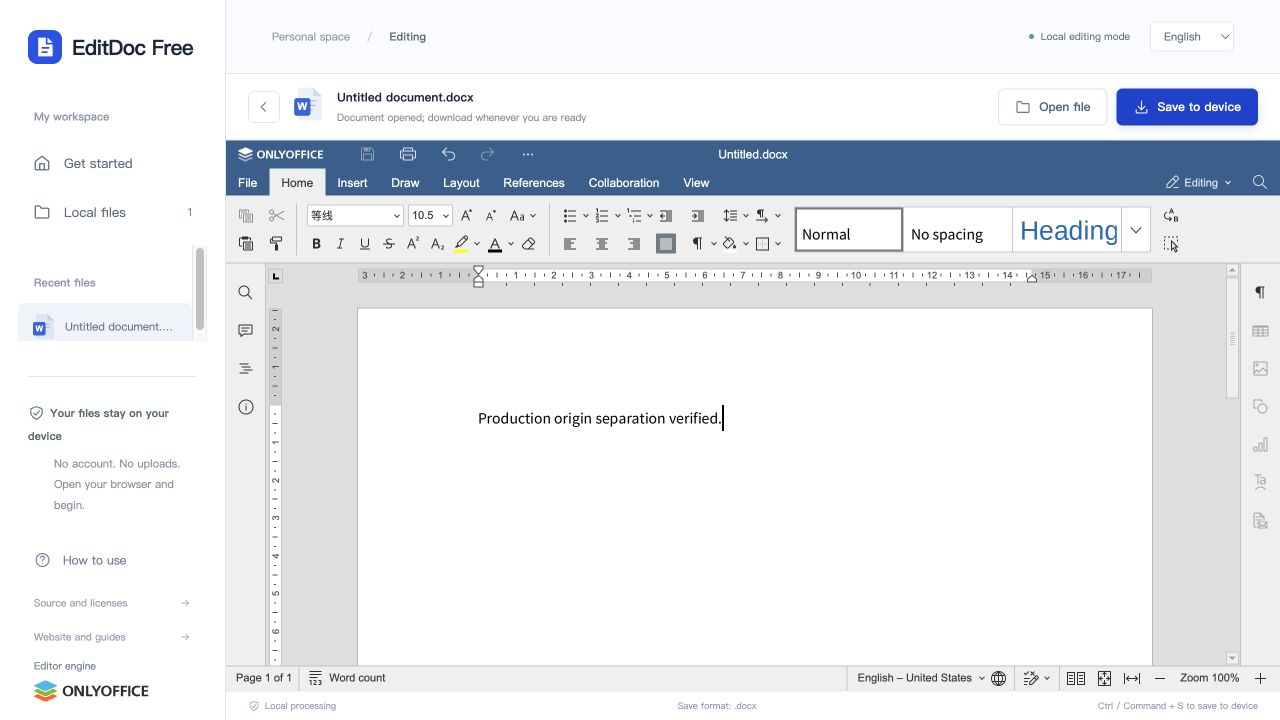
Change text, formatting and page layout
Use the document editor to revise a letter, update a report or adjust a table. Select text to change its font, size or emphasis; use paragraph and layout controls to review spacing and page breaks. This is useful for everyday edits when Microsoft Word is not installed.
Supported files and limits
- Input formats
- DOCX, DOC, ODT, RTF, TXT
- Download format
- DOCX
- Input file limit
- 100 MB
DOCX, DOC, ODT, RTF and TXT files can be opened. Edited documents download as DOCX. Text-only files gain document formatting when exported; the original file stays untouched. Individual input files must be no larger than 100 MB.
Open. Edit. Take it with you.
- 1
Choose a file
Open the editor and drop a local Office file into the workspace. You can also create a blank document, workbook or presentation.
- 2
Make your changes
The editor loads in your browser. The first launch downloads its resources and may take a little longer.
- 3
Download your copy
Choose Save to device, then check the downloaded file. Your original file is not overwritten by the website.
Before opening a file
Use an up-to-date desktop browser and keep your original file. The first visit loads a substantial editor engine and fonts; opening or exporting may take longer on a slow connection. After it loads, document processing happens on your device. There is no account, shared cloud drive or real-time collaboration.
Can I edit a DOC file and save it as DOCX?
Yes. DOC is accepted as an input format and the edited copy downloads as DOCX. The original DOC is not overwritten. Review fonts, tables and page breaks after conversion; saving back to the legacy DOC format is not offered.
Will every file look exactly the same?
Not always. Complex layouts, unsupported fonts, embedded objects and advanced Office features may differ. Macros are not executed. Review the exported file before sharing important work.