
Online PowerPoint editor
Edit PowerPoint files online for free. Open PPTX, PPT or ODP without installing Office, change your slides and download a PPTX copy.
Open the editor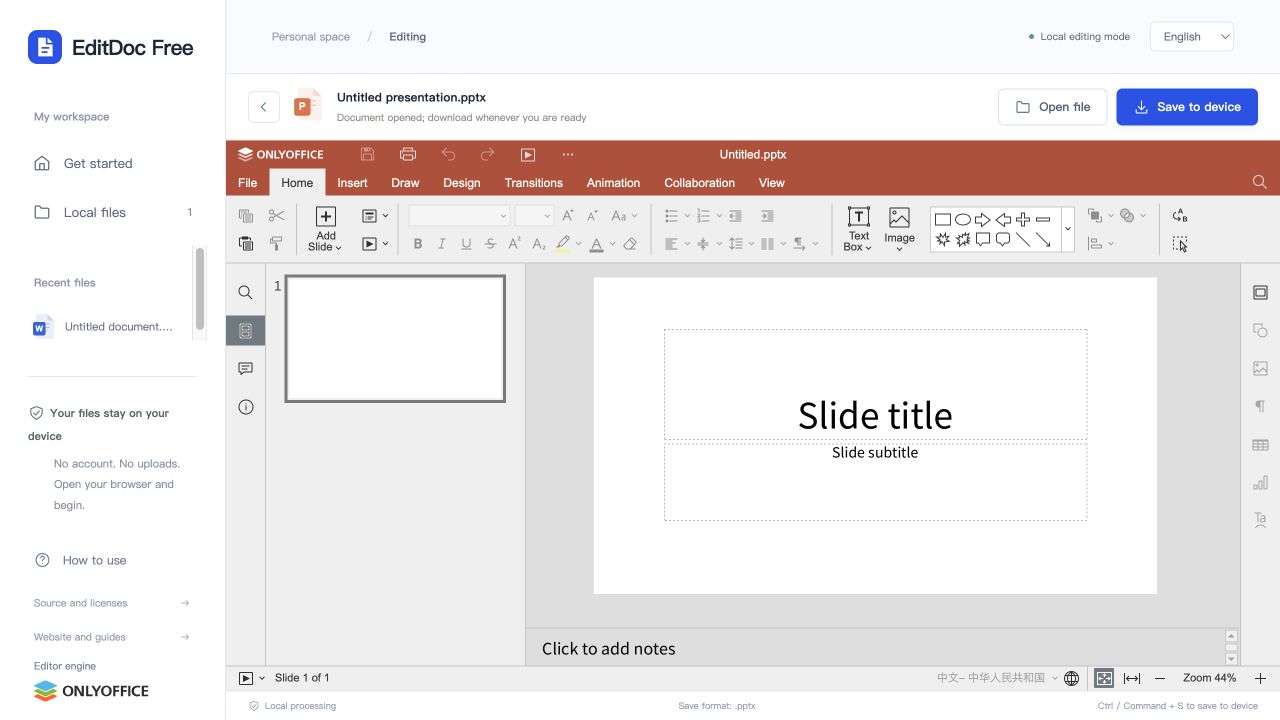
Revise slide text and arrange objects
Use the presentation editor to update a title, replace a paragraph or move a shape. Select a slide from the thumbnail list, make your changes and inspect how text fits inside its boxes. Keep the original deck for a final comparison.
Supported files and limits
- Input formats
- PPTX, PPT, ODP
- Download format
- PPTX
- Input file limit
- 100 MB
PPTX, PPT and ODP presentations can be opened and download as PPTX. Review slide layout, fonts and embedded objects after export. The browser editor does not guarantee full compatibility with every desktop animation or media feature. Individual input files must be no larger than 100 MB.
Open. Edit. Take it with you.
- 1
Choose a file
Open the editor and drop a local Office file into the workspace. You can also create a blank document, workbook or presentation.
- 2
Make your changes
The editor loads in your browser. The first launch downloads its resources and may take a little longer.
- 3
Download your copy
Choose Save to device, then check the downloaded file. Your original file is not overwritten by the website.
Before opening a file
Use an up-to-date desktop browser and keep your original file. The first visit loads a substantial editor engine and fonts; opening or exporting may take longer on a slow connection. After it loads, document processing happens on your device. There is no account, shared cloud drive or real-time collaboration.
Can I download an edited presentation as PPTX?
Yes. PPTX, PPT and ODP inputs download as PPTX after editing. This workflow does not offer video or PDF export. Review animations, media, fonts and object placement in the application you will use to present.
Will every file look exactly the same?
Not always. Complex layouts, unsupported fonts, embedded objects and advanced Office features may differ. Macros are not executed. Review the exported file before sharing important work.