
Edit PowerPoint slides online and save a PPTX
Update a presentation in your desktop browser without installing PowerPoint. Open a local deck, revise text or objects, and download an edited PPTX. Review the final file in the software you will actually use to present.
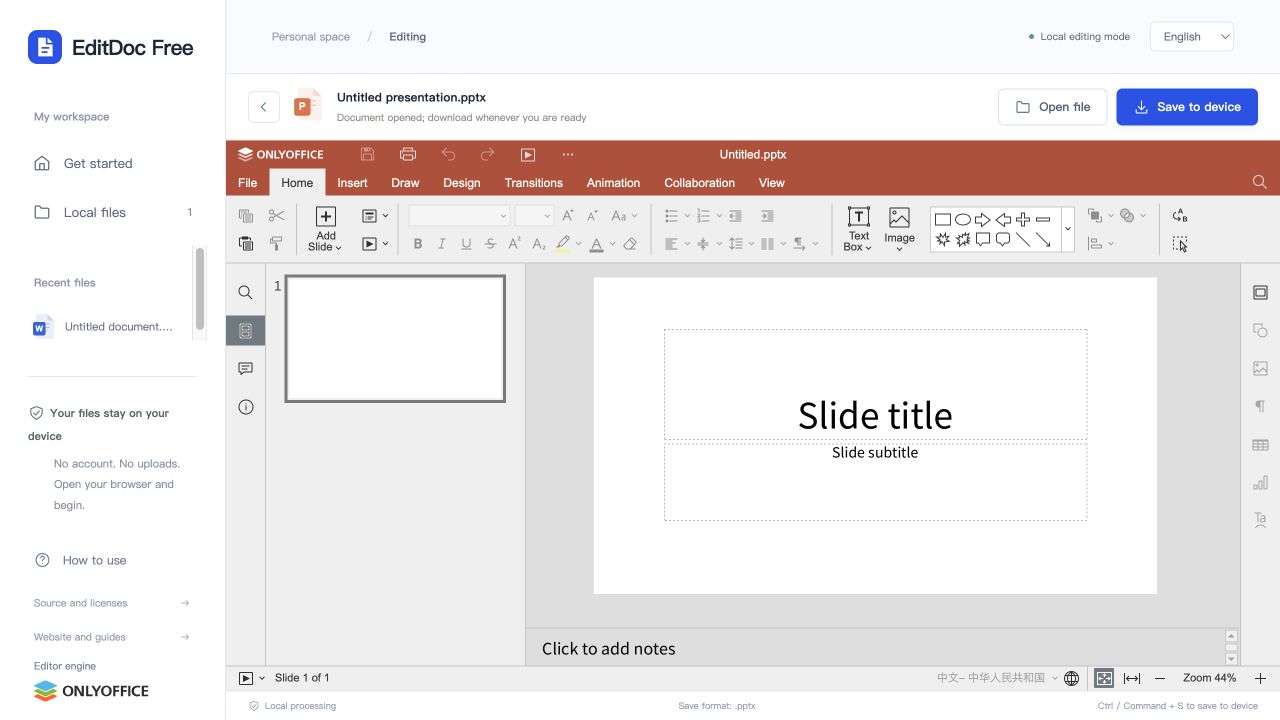
Open a deck or create a presentation
Open the PowerPoint editor and choose a PPTX, PPT or ODP file up to 100 MB. The download format is PPTX for all three. A blank presentation is useful for testing before making changes to a client or classroom deck.
Update one slide at a time
Choose a slide from the thumbnail list. Click a text box to change its contents, or select an object to adjust its position. Longer wording often needs a larger text box or smaller text size.
- Replace the title or paragraph and check that no text is cut off.
- Check object alignment and spacing on nearby slides for consistency.
- Try a simple title change in a blank deck, download it and reopen it before editing an important presentation.
Inspect fonts, media and presentation behavior
Font substitutions can change line wraps and move text outside a box. Pay special attention to diagrams, grouped objects, embedded media, animations and transitions. A slide that looks correct while editing may still need a check in the destination presentation application.
Download the edited PPTX and keep the original
Choose Save to device above the slide workspace. Open the downloaded PPTX, inspect every slide and run through the deck in your presentation application before a meeting or class. The browser’s recent list is not a substitute for that downloaded copy.
This workflow exports PPTX, not video or PDF. Complex desktop presentation features may not be fully preserved. If an essential animation, media item or layout does not survive the round trip, complete the final changes in the original desktop application.